Every client, and everything you've done for them
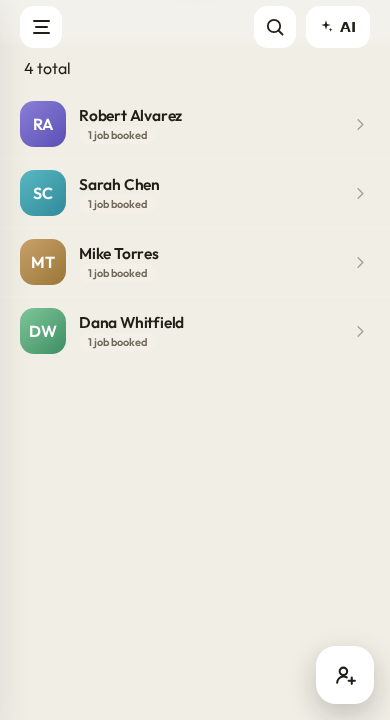
A client in Workeey is not just a name and a number. It is their address, your notes, the photos you have backed up, and the full run of every job, invoice and payment you have ever done for them — all on one screen. Walk into a repeat call knowing exactly what you did there last time.
One file, the whole relationship
Open a client and you get the contact details, the address, and your notes up top, then the history stacked underneath: every job you have scheduled, every invoice you have sent, every payment they have made. You are never reconstructing the story from memory, or scrolling a year of texts to work out whether the last visit was the dishwasher or the disposal.
That history is the whole difference between a repeat customer feeling known and feeling like a stranger. When Mrs. Alvarez calls about the same problem as last time, you tap her name and there it is — the date, the part, the price, the photo. You sound like the pro who remembers, because the app is quietly remembering all of it for you.
Addresses that autocomplete
Type the first few characters of a street and Google address autocomplete offers you the real one, so you tap it instead of misspelling it into a dead end. That means the address in the client file is the exact same address your routing uses to get you there — no typo quietly sending you to the wrong end of the block on a cold, dark morning.
For trades that cover a whole metro area, clean addresses are not a nicety — they are the difference between arriving on time and calling the customer from three streets over. Enter the address once, correctly, at the moment you first meet the client, and it flows into every job and every route you run for them from then on.
Notes and photos that stick to the client
The gate code, the aggressive dog, the shutoff hidden behind the water heater, the fact that they always pay a week late — that is the knowledge that makes a second visit smooth, and it lives in the client's notes. Add your own personal notes and per-client notes, and they are right there waiting the next time you or the job need them.
Photos back up to the client too, so the before-and-after from a job stays attached to the person, not lost somewhere in your phone's camera roll. Those same pictures then become proof on the invoice when it is time to bill for it. Capturing and uploading happens in the mobile app; the web version shows you what has already been backed up.
The money side, per client
Every client file rolls up what they owe and what they have paid, with a full payment history — card or bank, when it cleared, against which invoice. When you connect Stripe, that history fills itself in as clients pay, so you always know at a glance who is square with you and who still needs a nudge before the month ends.
That per-client view is exactly where slow payers stop being able to hide. You can see that one customer is three invoices behind, and switch on automatic email reminders just for them, without hunting through a pile of paper. The numbers are per person, and actionable, not one big useless total staring back at you that you cannot do anything about.
- Contact info, address and notes in one file
- Full job, invoice and payment history
- Backed-up photos tied to the client
- Owed versus paid totals per customer
Built for the way trades actually work
Whether you are a plumber, an electrician, an HVAC tech or a handyman, the client file is the same solid backbone underneath: know who they are, know where they are, know what you have done for them, and know what they owe. It is the genuinely useful part of a CRM without the corporate CRM bloat you would never once touch.
And because it is all one app, the client you add while booking a job is the same client you invoice, the same client you get paid by, and the same client the AI can answer questions about when you ask it. One record, everywhere it is needed, backed up so a lost or stolen phone never quietly turns into a lost customer.
Where do I add a new client?
You can add one directly, or create it while booking a job — the new-job form captures the client, the address and notes together in one step.
Is my client data backed up?
Yes. Contacts, notes and photos are backed up, so a lost or replaced phone does not cost you your customer history.
Can I see everything a client owes me?
Yes. Each client file shows owed and paid totals plus a full payment history once your Stripe account is connected.
Does the web version show job photos?
It shows photos that are already uploaded. Capturing and uploading new media happens in the mobile app.