Workeey is built for your phone. Scan the code with your phone to get the Android app, or open workeey.com on your phone. The iPhone app and a desktop version are coming soon.
Get the Workeey app. Same account, same jobs.


Contractor receipt template for general contractors and remodelers
On a remodel, money moves in big pieces: a deposit to start, a draw at rough-in, the final check at the walkthrough. Every one of those payments deserves a contractor receipt of payment. Copy the free construction receipt template below, see it filled in for a small bathroom refresh, and keep each receipt with the matching invoice from our free invoice template.
Download this receipt template: Word, Excel or PDF
Free to download, with no sign-up and no email. Open the Word file to type over the brackets, or the Excel file to swap in your own lines — the totals follow. Prefer paper? Print the blank PDF and fill it in by pen.
- Word (.docx) — the blank receipt, ready to fill in
- Excel (.xlsx) — the sample lines with amounts, tax and the total that work themselves out
- PDF (.pdf) — the filled-in sample, drawn the way Workeey draws a paid-in-full receipt
- Blank PDF (.pdf) — print it and fill it in by pen
- Google Docs — your own copy of the Word file, in your Google Drive (Google asks you to sign in)
- Google Sheets — your own copy of the Excel file, in your Google Drive (Google asks you to sign in)
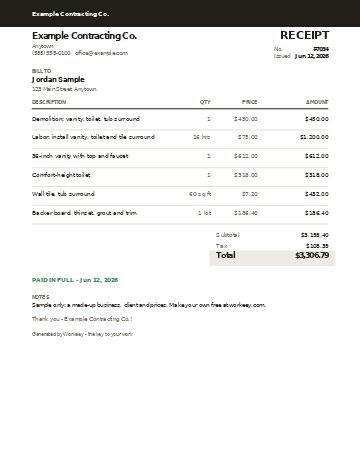
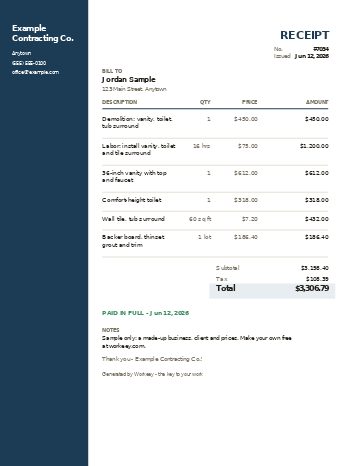
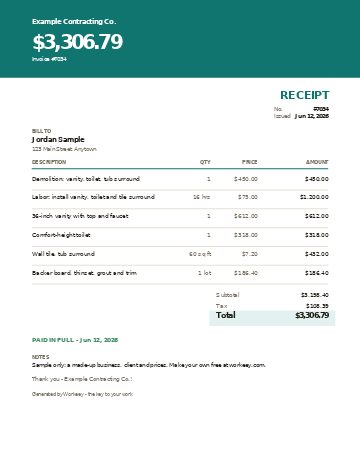
Fill in this receipt online
Change anything, pick a style, and download the PDF — free, no sign-up. What you type isn't sent to Workeey. The PDF is made in your browser.
Send the receipt from Workeey
- Mark an invoice paid, open its menu, tap Send receipt, and Workeey emails the homeowner a receipt for that invoice, written as a receipt, with no file attached.
- When a homeowner pays from the pay link in the invoice email, by card, Apple Pay, Google Pay or US bank once you connect Stripe, or your connected bank matches the deposit, the invoice marks itself paid and the receipt emails itself.
- The receipt PDF says PAID IN FULL with the date and leaves out your pay link and bank or Zelle details.
- Invoicing is free and unlimited on the free plan, with a small processing fee on online payments.
What goes on a contractor receipt
A construction receipt has to hold up when someone other than the homeowner reads it. A lender, an insurer, a buyer's agent and the homeowner's accountant may all see it. So put your full business name and your license number if your state issues one, the homeowner's name and the project address, then a short description of the project, such as "hall bathroom refresh".
Next, the money. Give each receipt a number, tie it to the invoice it pays, and record the date and the method: check number, card, cash or Zelle. On a job paid in stages, the receipt should also show the contract total, what has been paid so far and what remains, so neither side has to add it up from memory. The final receipt ends with PAID IN FULL.
- Business name, license number if issued, phone and email
- Homeowner name and project address
- Receipt number and the invoice it pays
- Project description and which stage this payment covers
- Date paid and method: check number, card, cash or Zelle
- Labor, fixtures and materials as lines, matching the invoice
- Amount received, paid to date, and the balance left
- PAID IN FULL on the final receipt, with your signature
Copy this contractor receipt template
Paste these lines into a document or a receipt book and fill in the brackets. On a single-payment job, drop the paid-to-date and balance lines. On a staged job, keep them on every receipt, so each one tells the homeowner exactly where the project stands.
- [Your business name] · License #[number] · [phone] · [email]
- Receipt #[number] for invoice #[number] · Project: [name]
- Homeowner: [name] · Project address: [address]
- Paid [date] by [check #___ / card / cash / Zelle]
- Payment for: [deposit / draw at stage / final]
- [Work or material] — [qty] × [rate] = [$]
- Subtotal [$] · Sales tax [rate]% on [materials] [$]
- Total paid: $[amount]
- Paid to date: $[amount] · Balance: $[amount]
- PAID IN FULL — thank you · Signed: [name]
Sample contractor receipt, filled in
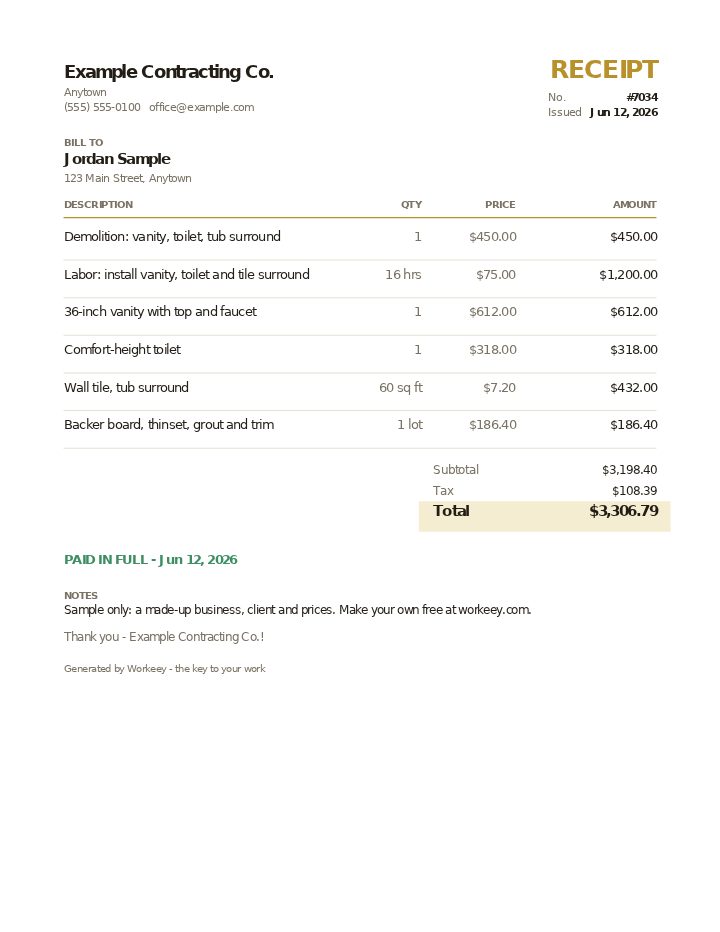
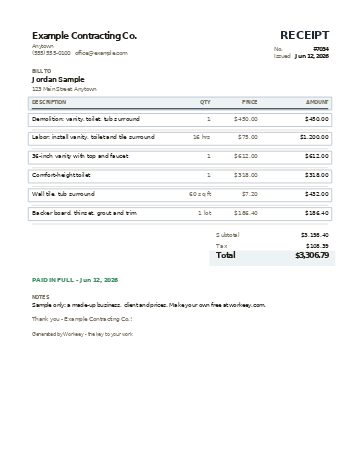
Here it is for a small hall bathroom refresh: the old vanity, toilet and tub surround out, new ones in. The homeowner paid the whole invoice with one check at the final walkthrough. Every name and price is made up, and the 7% tax on fixtures and materials only is an example; check the rule for construction work where you are.
| Qty | Price | Amount | |
|---|---|---|---|
| Demolition: vanity, toilet, tub surround | 1 | $450.00 | $450.00 |
| Labor: install vanity, toilet and tile surround | 16 hrs | $75.00 / hr | $1,200.00 |
| 36-inch vanity with top and faucet | 1 | $612.00 | $612.00 |
| Comfort-height toilet | 1 | $318.00 | $318.00 |
| Wall tile, tub surround | 60 sq ft | $7.20 / sq ft | $432.00 |
| Backer board, thinset, grout and trim | 1 lot | $186.40 | $186.40 |
| Subtotal | $3,198.40 | ||
| Sales tax 7% on fixtures and materials ($1,548.40) | $108.39 | ||
| Total paid | $3,306.79 |
Settles invoice #7034 in full with check #1187, handed over at the final walkthrough on June 12. No deposit was taken on this job, so there is no earlier payment to subtract.
Receipts on a remodel paid in stages
Most remodels aren't paid with one check. A deposit before you order the vanity and tile, a progress payment when the walls are closed, and a final payment at the punch list is a common pattern. Write a receipt for each one on the day it arrives, and carry the running total forward. If the homeowner can look at the latest receipt and see the contract price, everything paid and the balance, you'll have fewer awkward conversations at the end.
Change orders need the same care. When the homeowner adds a shower niche or upgrades the tile, put it on paper with a price before you do it, invoice it, and write the receipt against that invoice. Keep copies of every receipt with the contract and the invoices. If a homeowner ever disputes what they paid, that stack is your answer; ask your accountant how long to keep it.
- A receipt for the deposit the day you take it, even on paper
- Paid to date and the balance on every progress receipt
- Each change order receipted against its own invoice
- The final check at the walkthrough, then PAID IN FULL
- Receipts kept with the contract and invoices; ask your accountant what to keep
Or do it free in Workeey
In Workeey, each invoice carries its own receipt. Mark an invoice paid, open its menu, tap Send receipt, and Workeey emails the homeowner a receipt for that invoice, written as a receipt, with no file attached. The receipt PDF says PAID IN FULL with the date and leaves out your pay link and bank or Zelle details; you can share or download it from your phone to hand over at the walkthrough.
When a homeowner pays from the pay link in the invoice email, by card, Apple Pay, Google Pay or US bank once you connect Stripe, or your connected bank matches the deposit, the invoice marks itself paid and the receipt emails itself. A check like the one above is yours to record: mark the invoice paid, then tap Send receipt. On a job paid in stages, sending each stage as its own invoice gives each payment its own receipt. Invoicing is free and unlimited on the free plan, with a small processing fee on online payments; see pricing.
More for general contractors: pages and free templates
- Best invoice apps for contractors — the apps for this trade compared
- General contractor estimate template — a free quote sample
- Free invoice template — every field a trade invoice needs
- Free estimate template — copy it, price it, send it
- Free receipt template — a paid-in-full receipt to copy
- Work order template — the job written down before you bill it
- Late payment reminder templates — texts, emails and a letter to copy and send
- All free templates and tools
What is a contractor receipt of payment?
It is the paper that confirms a homeowner paid you, showing the amount, the date, the method and the invoice or project stage it covers. On the final payment it says PAID IN FULL.
Should I give a receipt for a deposit?
Yes. Write a receipt the day you take it, naming the project and the amount, and keep a copy. The final receipt should list the deposit as already paid so the balance comes out right.
What's the difference between a contractor invoice and a receipt?
The invoice is the request: what is owed for the work and by when. The receipt is the answer: what was paid, when and how. On a remodel you will usually write several of each.
Can a construction receipt show a balance still owed?
Yes, and on a staged job it should. Show the amount received, the total paid to date and what remains. The last receipt shows a zero balance and PAID IN FULL.