Workeey is built for your phone. Scan the code with your phone to get the Android app, or open workeey.com on your phone. The iPhone app and a desktop version are coming soon.
Get the Workeey app. Same account, same jobs.


Free receipt template for service work, with a paid sample
An invoice asks for money; a receipt says you got it. Copy the free receipt template below for any service job, whether the customer paid in cash, by check, by Zelle or by card, and mark it paid in full or show what is still owed. When writing them by hand gets old, Workeey sends the receipt from the paid invoice.
Download this receipt template: Word, Excel or PDF
Free to download, with no sign-up and no email. Open the Word file to type over the brackets, or the Excel file to swap in your own lines — the totals follow. Prefer paper? Print the blank PDF and fill it in by pen.
- Word (.docx) — the blank receipt, ready to fill in
- Excel (.xlsx) — the sample lines with amounts, tax and the total that work themselves out
- PDF (.pdf) — the filled-in sample, drawn the way Workeey draws a paid-in-full receipt
- Blank PDF (.pdf) — print it and fill it in by pen
- Google Docs — your own copy of the Word file, in your Google Drive (Google asks you to sign in)
- Google Sheets — your own copy of the Excel file, in your Google Drive (Google asks you to sign in)
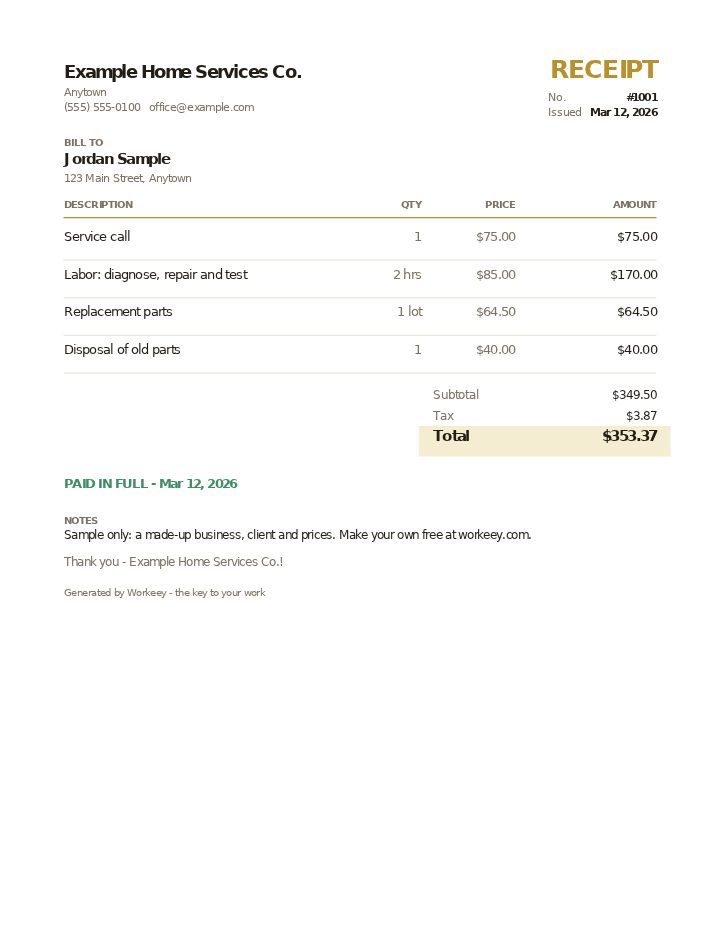
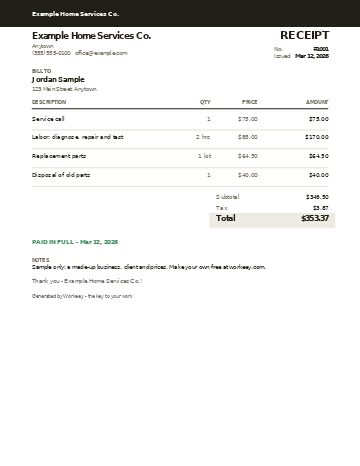
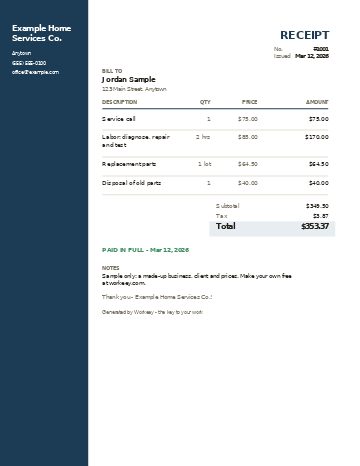
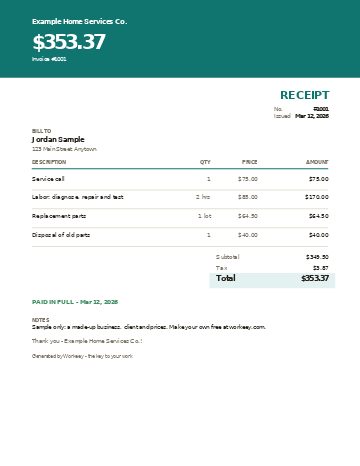
Fill in this receipt online
Change anything, pick a style, and download the PDF — free, no sign-up. What you type isn't sent to Workeey. The PDF is made in your browser.
Send the receipt from Workeey
- Once an invoice is marked paid, its menu shows Send receipt, and Workeey emails your customer a receipt for that invoice.
- When a customer pays through the pay link in the invoice email, by card, Apple Pay, Google Pay or US bank once you connect Stripe, or when your connected bank matches the deposit, the invoice marks itself paid and the receipt emails itself.
- The receipt PDF says PAID IN FULL with the date and drops your pay link and your bank or Zelle details, since there is nothing left to pay.
- Invoicing is free and unlimited on the free plan, with a small processing fee on online payments.
What goes on a service receipt
A receipt is the customer's proof that they paid, and your proof of what they paid for. Write it so someone who was not there can read it: a spouse going through the bills, a landlord paying a tenant back, an accountant in April. That means your business details at the top, the customer's name and address, and a receipt number of its own that you never reuse.
The most useful line on any receipt is the one that ties it to the bill it settles. Write the invoice number on it, so nobody wonders whether $353 was for the March visit or the April one. Then say how the money came in, and be specific: a check number, cash handed over at the door, the day a Zelle transfer arrived. Finish with either PAID IN FULL or the balance still due, and the name or initials of whoever took the payment.
- Your business name, phone, email and address
- Customer name and the address where you did the work
- A receipt number, separate from your invoice numbers
- The invoice number this payment settles
- The date the money arrived, not the date you did the work
- How it was paid: cash, check number, Zelle or card
- What the payment covered, line by line or as one summary line
- The amount received, then PAID IN FULL or the balance left
- Who received the payment
Copy this free receipt template
Paste these lines into any document, or copy them into a carbon receipt book you keep in the truck. Swap the brackets for your own details and cross out whatever doesn't fit the job. A cash receipt and a check receipt use the same template; only the payment line changes.
If the customer paid only part of the bill, replace the last line with the amount received and the balance still owed, and treat the invoice as open until the rest arrives.
- [Your business name] · [phone] · [email] · [address]
- Receipt #[number] for invoice #[number]
- Received from: [customer name] · [job address]
- Paid [date] by [cash / check #___ / Zelle / card]
- [Work or item] — [qty] × [rate] = [$] (one line each)
- Subtotal [$] · Sales tax [rate]% [$]
- Total paid: $[amount]
- PAID IN FULL — thank you · or: Balance due $[amount] by [date]
- Received by: [your name or initials]
Templates for your trade
- Contractor receipt template — a remodel, paid by check
- Electrical receipt template — the panel job, paid by card
- Handyman receipt template — the punch list, paid in cash
- House cleaning receipt template — the deep clean, paid by Zelle
- HVAC receipt template — the repair visit, paid by Zelle
- Landscaping receipt template — the planting job, paid by card
- Lawn care receipt template — a month's mowing, paid in cash
- Painting receipt template — the paint job, paid by card
- Plumbing receipt template — the plumbing invoice, paid by check
- Roofing receipt template — the roof, paid by check
Sample service receipt, filled in
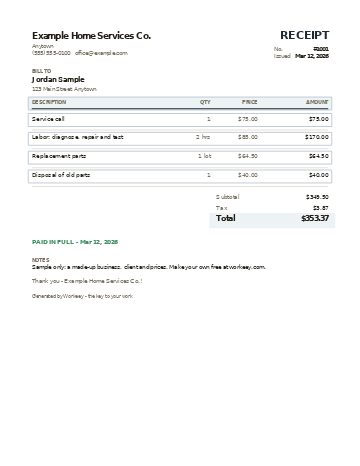
Here is the template filled in for a simple repair visit that the customer settled in cash at the door. Every name and price is made up. The receipt repeats the invoice's lines so the customer can match one paper to the other, and in this example only the parts are taxed; check how it works where you do business.
| Qty | Price | Amount | |
|---|---|---|---|
| Service call | 1 | $75.00 | $75.00 |
| Labor: diagnose, repair and test | 2 hrs | $85.00 / hr | $170.00 |
| Replacement parts | 1 lot | $64.50 | $64.50 |
| Disposal of old parts | 1 | $40.00 | $40.00 |
| Subtotal | $349.50 | ||
| Sales tax 6% on parts ($64.50) | $3.87 | ||
| Total paid | $353.37 |
This receipt settles invoice #1001 in full. The customer paid $353.37 in cash on the day of the visit, so the payment line names cash and the date it changed hands.
When to write a receipt, and how to keep them straight
Write one every time money changes hands without a bank in the middle. Cash and paper checks leave the weakest trail, so they need the strongest receipt. A card or bank payment already leaves a record on both sides, but customers still like a receipt that names the work, and some will ask for one to pass to whoever is paying them back.
Number your receipts in order and keep the carbon or a copy of every one, including the ones that look too small to matter. A year from now, a copy of each receipt next to the invoice it settled is how you answer a customer who says they already paid, and it hands your accountant a clean list. What you need to keep, and for how long, is a question for your accountant.
- Hand over a cash receipt before you leave, never later
- Write the check number on the receipt, and wait for the check to clear before you call the bill settled
- A deposit taken on paper gets its own receipt, and the final receipt shows it as already paid
- Never reuse or skip a receipt number; void a spoiled one and keep it
- Keep a copy of every receipt with its invoice for your records
Or do it free in Workeey
In Workeey, the receipt comes from the invoice, so you never retype the lines. Once an invoice is marked paid, its menu shows Send receipt, and Workeey emails your customer a receipt for that invoice. The receipt PDF says PAID IN FULL with the date and drops your pay link and your bank or Zelle details, since there is nothing left to pay; you can share it or download it from your phone.
When a customer pays through the pay link in the invoice email, by card, Apple Pay, Google Pay or US bank once you connect Stripe, or when your connected bank matches the deposit, the invoice marks itself paid and the receipt emails itself. Cash, checks and Zelle are on you: mark the invoice paid, then tap Send receipt. Invoicing is free and unlimited on the free plan, with a small processing fee on online payments; see pricing for the rest.
What's the difference between an invoice and a receipt?
An invoice is the bill: it says what is owed and by when. A receipt comes after and says what was paid, when and how. Most jobs need both, and the receipt should name the invoice it settles. Our free invoice template covers the first half.
What is a paid in full receipt?
It is a receipt that says the bill is settled, with nothing left owing. Write PAID IN FULL on it with the date and the amount, so the customer has proof the account is closed.
Can a receipt show a partial payment?
Yes. Write the amount received, the date and how it was paid, then the balance still owed and when it is due. When the rest comes in, write a second receipt that lists the earlier payment and ends with PAID IN FULL.
Do I need a receipt for a cash payment?
Cash leaves no record of its own, so a receipt is the only proof for either of you. Write it on the spot, give the customer the original, and keep a copy for your records. Whether your state requires one is a question for your accountant.