Workeey is built for your phone. Scan the code with your phone to get the Android app, or open workeey.com on your phone. The iPhone app and a desktop version are coming soon.
Get the Workeey app. Same account, same jobs.


Free snow removal invoice template, with a month of snow plowing filled in
When it snows you plow first and bill later, and by the end of the month nobody remembers which storm was which. A snow removal invoice that lists every push by date, the shoveling and the ice melt makes the bill easy to check against the weather. Copy the free snow plow invoice template below, check it against the filled-in sample for a month of per-push plowing, and send it on the first of the month while the driveway is still clear.
Download this invoice template: Word, Excel or PDF
Free to download, with no sign-up and no email. Open the Word file to type over the brackets, or the Excel file to swap in your own lines — the totals follow. Prefer paper? Print the blank PDF and fill it in by pen.
- Word (.docx) — the blank invoice, ready to fill in
- Excel (.xlsx) — the sample lines with amounts, tax and the total that work themselves out
- PDF (.pdf) — the filled-in sample, drawn the way Workeey draws an invoice
- Flat-rate PDF (.pdf) — the same job with the hours as one flat price, the same total
- Blank PDF (.pdf) — print it and fill it in by pen
- Google Docs — your own copy of the Word file, in your Google Drive (Google asks you to sign in)
- Google Sheets — your own copy of the Excel file, in your Google Drive (Google asks you to sign in)
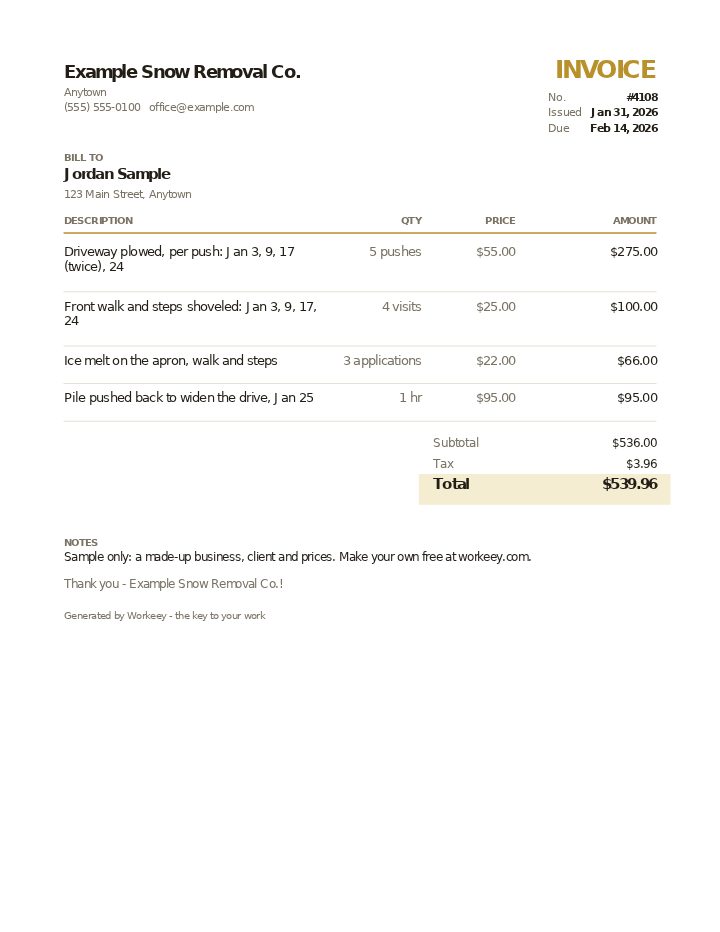
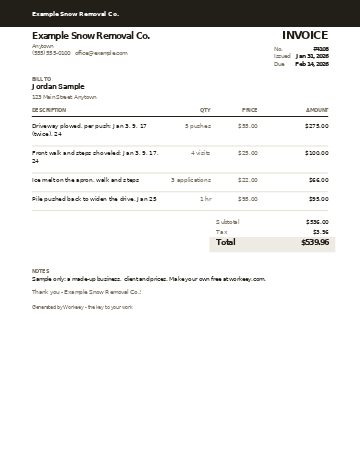
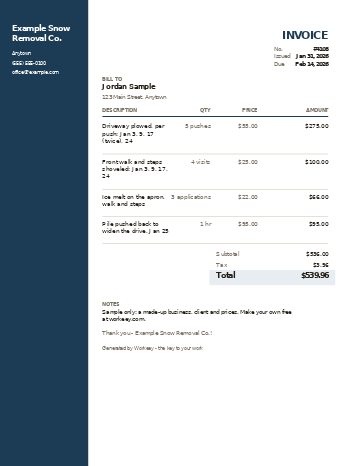
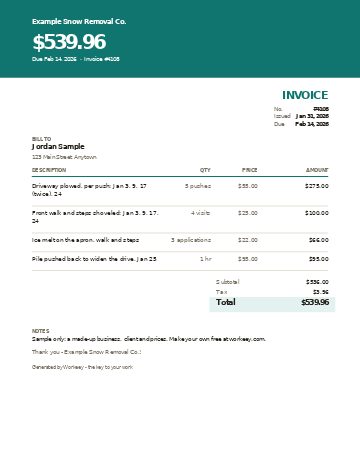
Fill in this invoice online
Change anything, pick a style, and download the PDF — free, no sign-up. What you type isn't sent to Workeey. The PDF is made in your browser.
Send it and get paid with Workeey
- The invoice is emailed with a pay link from the app, so once you connect Stripe the customer can pay by card, Apple Pay, Google Pay or US bank.
- You see every invoice as draft, sent, paid or overdue, and for one running late you can turn on reminder texts, sent on a schedule, up to eight, until it's paid.
- Invoicing is free on the free plan.
Already have an invoice? The free invoice checker reads one you paste and says what it is missing.
What goes on a snow removal invoice
The heart of a snow plow invoice is the dates. Per-push customers pay for each visit, so list every storm date and how many pushes it took. Write your trigger depth too, the snowfall at which you come out, often 2 inches, and the rule for heavy storms when you plow more than once. With those on the page, the customer can match the invoice to what they saw out the window.
Shoveling walks and steps, salting or ice melt, and clearing the end-of-driveway pile left by the town plow are usually separate lines with their own prices. So is any extra machine time, like pushing piles back late in the season. Seasonal-contract customers get a different invoice: the contract price, or the installment due, with the season dates and what's included, plus any extras like salt that the contract bills separately.
- Business name, phone and email
- Customer name and the property plowed
- Invoice number, the month or period covered, invoice date and due date
- Trigger depth and the heavy-storm rule
- Each storm date and the pushes it took
- Shoveling, salting and ice melt as their own lines
- Extra machine time by the hour
- Tax if your state charges it, total and terms (is labor taxed in your state?)
Copy this snow removal invoice template
Copy the skeleton into a document or your phone's notes and fill in the brackets. Keep a running log of each push on your phone during the month: date, time and depth. Filling in this invoice becomes copying the log.
For a seasonal customer, replace the per-push lines with the season price or installment and keep the dates; even a flat-rate customer likes to see that you showed up.
- [Business name] · [phone] · [email]
- Invoice #[4108] · Period: [month] · Invoice date: [date] · Due: [date]
- Customer: [name] · Property: [address]
- Terms of service: trigger [inches] · second push above [inches]
- Plowing — [storm dates] — [pushes] × [rate per push] = [$]
- Walks and steps — [visits] × [rate] = [$]
- Ice melt / salt — [applications] × [rate] = [$]
- Extra machine time — [hours] × [rate] = [$]
- Seasonal contract: [season dates] — [installment or full price] = [$]
- Subtotal [$] · Sales tax [rate]% on [what is taxable] [$] · Total due [$]
- Terms: [due date] · Pay by [link or check]
Sample snow plow invoice, filled in
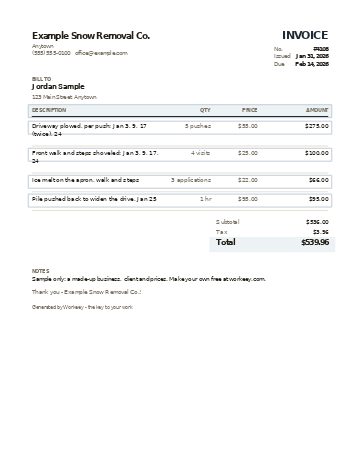
This is the template filled in for one residential driveway, billed per push for January: four storms, one of them heavy enough for two pushes, the front walk and steps shoveled each time, ice melt three times, and an hour pushing back the piles after the last storm. The plow business, the homeowner and the prices are made up. Tax here falls on the ice melt only; a few states tax snow plowing itself.
| Qty | Price | Amount | |
|---|---|---|---|
| Driveway plowed, per push: Jan 3, 9, 17 (twice), 24 | 5 pushes | $55.00 / push | $275.00 |
| Front walk and steps shoveled: Jan 3, 9, 17, 24 | 4 visits | $25.00 / visit | $100.00 |
| Ice melt on the apron, walk and steps | 3 applications | $22.00 / application | $66.00 |
| Pile pushed back to widen the drive, Jan 25 | 1 hr | $95.00 / hr | $95.00 |
| Subtotal | $536.00 | ||
| Sales tax 6% on ice melt ($66.00) | $3.96 | ||
| Total due | $539.96 |
Plowing is per push at a 2-inch trigger. The January 17 storm dropped 11 inches overnight, so the drive was plowed once at 4 a.m. and again after the snow stopped, as the agreement allows above 8 inches. Ice melt is applied only on request or below 20 degrees. The windrow at the street left by the town plow is cleared with each push. Payment terms on this sample: due in 14 days, paid by card or bank from the pay link in the invoice email, or by check to Example Snow Removal Co.
How to invoice snow removal
Bill on a steady schedule, usually once a month for per-push customers, and always with the dates. Sending the bill a month later is fine; sending it in April for the whole winter is how you end up chasing money from people who have stopped thinking about snow. Seasonal customers are easier to collect from in installments, for example one in November and one in January, each invoiced on the date the contract says.
Write your terms down before the first flake, because snow disputes are about expectations: how deep before you come, how early you'll be there, what happens to the street pile, and what you're not responsible for, like lawn damage under the snow. If you quoted the season with our snow removal estimate template, use the same trigger and prices on every invoice. A slow-paying plow customer is still a customer next storm, so a polite note from the late-payment reminder templates is better than skipping their driveway.
- List every storm date and push on the invoice
- Write your trigger depth and heavy-storm rule
- Bill per-push customers monthly, not at season's end
- Invoice seasonal installments on the dates in the contract
- Keep a push log on your phone through the month
Or do it free in Workeey
In Workeey each plowing customer is a job with the address and your notes, like where the walk is under the snow. At the end of the month, one tap turns the job into an invoice with the customer, address and lines already filled in, tax added and an invoice number on it; you add the storm dates. If you price a season first, the estimate becomes the invoice the same way. You make each invoice yourself; Workeey doesn't bill on a schedule.
The invoice is emailed with a pay link from the app, so once you connect Stripe the customer can pay by card, Apple Pay, Google Pay or US bank; a small processing fee applies to online payments. You see every invoice as draft, sent, paid or overdue, and for one running late you can turn on reminder texts, sent on a schedule, up to eight, until it's paid. Invoicing is free on the free plan.
More for snow removal pros: pages and free templates
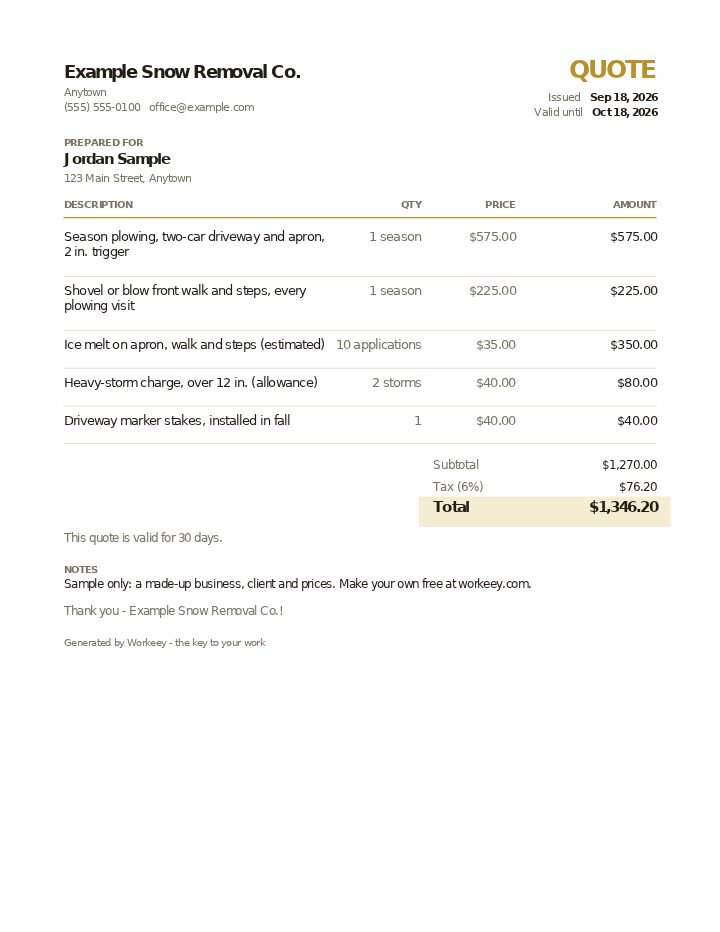
- Snow removal estimate template — a free quote sample
- Free invoice template — every field a trade invoice needs
- Free estimate template — copy it, price it, send it
- Free receipt template — a paid-in-full receipt to copy
- Work order template — the job written down before you bill it
- Late payment reminder templates — texts, emails and a letter to copy and send
- All free templates and tools
How do you invoice snow plowing?
Per-push customers get a monthly invoice listing each storm date, the pushes it took and the rate per push, plus shoveling, salting and extras. Seasonal customers get the contract price or installment, with the season dates.
What is a snow plow invoice template?
It's a ready-made invoice laid out for snow work: storm dates, pushes, walks, salt or ice melt and the total. Copy the template on this page, fill in your log, and it's ready to send.
Should I charge per push or per season for snow removal?
Per push pays more in a snowy winter and less in a mild one; a seasonal contract gives you steady income whatever falls. Many plow businesses offer both and let the customer choose.
Is snow removal taxable?
In most states snow plowing isn't taxed, but a few do tax it, and materials like salt or ice melt can be taxable. Check your state, and name what the tax is on.