Workeey is built for your phone. Scan the code with your phone to get the Android app, or open workeey.com on your phone. The iPhone app and a desktop version are coming soon.
Get the Workeey app. Same account, same jobs.


Free 1099 invoice template for independent contractors
When you work as an independent contractor, the business that pays you usually handles the 1099 form at tax time. Your part is the invoice: a clear bill that shows who you are, what you did and what you're owed. Copy the free 1099 invoice template below, check it against the filled-in example, and send it. Or let Workeey build it from the finished job.
Download this invoice template: Word, Excel or PDF
Free to download, with no sign-up and no email. Open the Word file to type over the brackets, or the Excel file to swap in your own lines — the totals follow. Prefer paper? Print the blank PDF and fill it in by pen.
- Word (.docx) — the blank invoice, ready to fill in
- Excel (.xlsx) — the sample lines with amounts, tax and the total that work themselves out
- PDF (.pdf) — the filled-in sample, drawn the way Workeey draws an invoice
- Blank PDF (.pdf) — print it and fill it in by pen
- Google Docs — your own copy of the Word file, in your Google Drive (Google asks you to sign in)
- Google Sheets — your own copy of the Excel file, in your Google Drive (Google asks you to sign in)
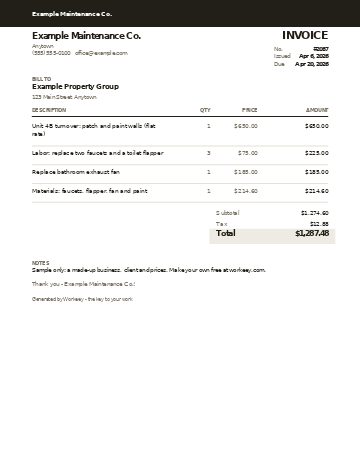
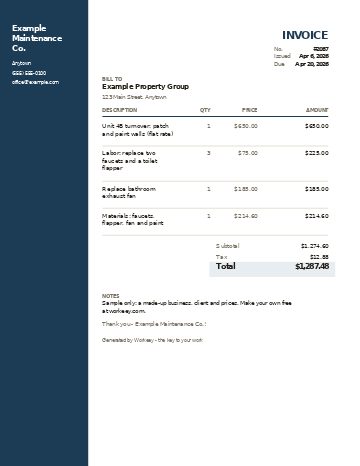
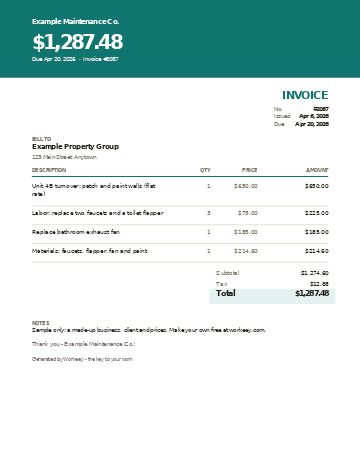
Fill in this invoice online
Change anything, pick a style, and download the PDF — free, no sign-up. What you type isn't sent to Workeey. The PDF is made in your browser.
Send it and get paid with Workeey
- The invoice goes to the client by email with a pay link, so once you connect Stripe they can pay by card, Apple Pay, Google Pay or US bank.
- Invoicing is unlimited on the free plan, no card needed.
Already have an invoice? The free invoice checker reads one you paste and says what it is missing.
What goes on a 1099 contractor invoice
There is no official 1099 invoice form. A 1099 invoice is simply the invoice a self-employed contractor sends a business client, the kind of client that later reports what it paid you on a 1099-NEC. The invoice is not the 1099 form. The client who pays you files the 1099-NEC, and before the first payment they may ask you to fill in a W-9 with your name, address and taxpayer number.
So the invoice's job is to make their paperwork easy and your payment quick. Put your name or business name exactly as it appears on your W-9, so their records match yours. Add a TIN or EIN line only if the client asks for it on invoices; most get it from the W-9 instead. Anything beyond what goes on the invoice, like how to report the income, is a question to ask your accountant.
- Your name or business name, matching your W-9, plus phone, email and address
- Your TIN or EIN, only if the client wants it on the invoice
- The client's business name, the person who approves bills, and their billing address
- Invoice number, the date sent, and a due date
- The dates of the work, or the period the invoice covers
- One line per service, with quantity, price and amount
- Subtotal, any sales tax that applies where you work, and the total due (is labor taxed in your state?)
- Payment terms and how to pay, plus a PO or work order number if the client gave you one (late fees by state)
Copy this 1099 invoice template
Here is the independent contractor invoice template as plain lines. Paste it into any document, swap the brackets for your details, and delete the lines you don't need. If the client sent you a purchase order or work order number, put it near the top: larger clients often can't pay an invoice that doesn't carry one. If your customers are mostly homeowners, the free contractor invoice template is a closer fit.
Describe each service the way the client's bookkeeper will understand it, not in trade shorthand. "Replace kitchen faucet, Unit 2A" gets approved; "swap fct 2A" gets a phone call. Here is the skeleton:
- [Your name or business name] · [phone] · [email] · [address]
- [Your TIN or EIN — optional]
- Invoice no. [2001] · Sent: [date] · Payment due: [date]
- Bill to: [client business name] · Attn: [contact] · [billing address]
- PO or work order #: [if the client gave you one]
- Work dates: [first day] to [last day] · Job address: [where you worked]
- [Service] — [qty or hours] × [rate] = [$] (one line per service)
- Materials — [qty] × [your price] = [$] (only if you supplied them)
- Subtotal: [$] · Tax: [rate]% on [taxable items] = [$] · Amount due: [$]
- Terms: due by [date] · Pay by: [card or bank pay link] · [check payable to your name or business]
- [Thank-you line]
Templates for your trade
- Appliance repair invoice template — a refrigerator diagnosis, parts and the return trip
- Carpet cleaning invoice template — rooms, stairs and add-on treatments
- Concrete invoice template — a patio broken out and poured again
- Drywall invoice template — a water-damaged ceiling, cut out to painted
- Electrician invoice template — permit, panel, breakers and wire by the foot
- Fence invoice template — posts, rails and pickets repaired
- Flooring invoice template — a hardwood refinish, sand to final coat
- Handyman invoice template — a punch list, each task its own line
- House cleaning invoice template — a deep clean and its add-ons
- HVAC invoice template — diagnostic fee, refrigerant by the pound, parts
- Junk removal invoice template — a cleanout by truck space, plus the heavy items
- Landscaping invoice template — plants, mulch by the yard, labor
- Lawn care invoice template — a month's mowing visits on one invoice
- Locksmith invoice template — an evening lockout, rekey and a new deadbolt
- Painting invoice template — prep, coats, gallons and materials
- Pest control invoice template — a first treatment and its follow-up visit
- Plumbing invoice template — labor, service call, parts with markup, and tax
- Pressure washing invoice template — a paver patio cleaned, re-sanded and sealed
- Roofing invoice template — tear-off by the square, shingles, flashing
- Snow removal invoice template — a month of plowing and shoveling, push by push
- Tree service invoice template — crown work, stump grinding and cleanup
- Window cleaning invoice template — inside, outside, screens and gutters
Sample 1099 contractor invoice, filled in
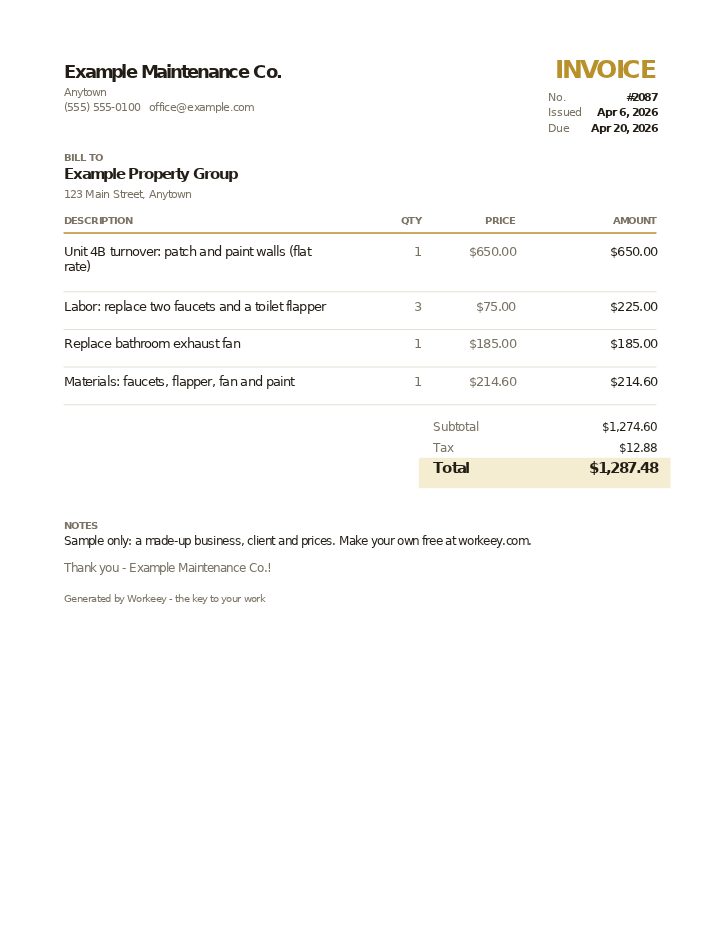
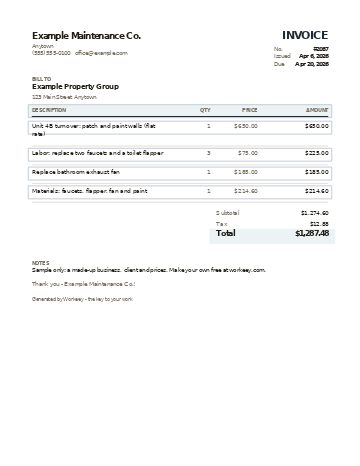
Here is a 1099 invoice example from a maintenance contractor who turns over a rental unit for a property manager. The business, the client and every price are made up. The flat-rate painting, the hourly repairs and the materials each get their own line, and tax is charged on materials only, which is how some states treat it; check the rule where you work.
| Qty | Price | Amount | |
|---|---|---|---|
| Unit 4B turnover: patch and paint walls (flat rate) | 1 | $650.00 | $650.00 |
| Labor: replace two faucets and a toilet flapper | 3 | $75.00 | $225.00 |
| Replace bathroom exhaust fan | 1 | $185.00 | $185.00 |
| Materials: faucets, flapper, fan and paint | 1 | $214.60 | $214.60 |
| Subtotal | $1,274.60 | ||
| Sales tax (6% on materials) | $12.88 | ||
| Total due | $1,287.48 |
Materials are billed at the contractor's price, not at cost. There is no TIN line because the client already has the contractor's W-9 on file. Payment terms on this sample: due in 14 days, paid by card or bank from the pay link in the invoice email, or by check to Example Maintenance Co.
Getting paid on time by business clients
Business clients pay through a process, and your invoice has to fit it. Before the first job, ask who approves invoices, where to send them, and whether they need a W-9, proof of insurance or a PO number first. Send all of it before the first invoice, so the first payment doesn't sit in a pile waiting for a form.
Keep one invoice per job or per unit unless the client asks for a monthly bill, and use the same name and address on every one. Set a real due date: "due April 20" is clearer than a bare "net 14" for someone processing a stack of bills, and what net 30 means explains the terms if you use them. Keep a copy of every invoice you send, so you can check your own totals when the 1099-NEC arrives. For the whole routine, see how to invoice as a self-employed contractor.
- Send your W-9 before the first invoice if they ask for one
- Put the PO or work order number on every invoice
- Use the same name and address on every invoice, matching your W-9
- Give a real due date, not "upon receipt"
- When a due date passes, send a short polite reminder; our late payment reminder templates have the words
Or do it free in Workeey
A template works, but you are still renumbering it, retyping the client's address and checking the math by hand. Workeey's invoicing builds the invoice from the finished job in one tap, and if you sent an estimate first, one tap turns that into the invoice instead. The client and your lines carry over, and the totals add themselves.
The invoice goes to the client by email with a pay link, so once you connect Stripe they can pay by card, Apple Pay, Google Pay or US bank; a small processing fee applies to online payments. Workeey doesn't fill in W-9s or file 1099s, but it keeps every invoice you sent in one place for when your accountant asks. Invoicing is unlimited on the free plan, no card needed; see pricing.
What is a 1099 invoice?
It's the invoice an independent contractor sends a business client that will report the payments on a 1099-NEC. It looks like any good invoice: your details, the client's, an invoice number, dates, line items, the total and payment terms. There's no official form for it.
Is an invoice the same as a 1099 form?
No. The invoice is your bill for the work. The 1099-NEC is a tax form that the client who paid you files and sends you after the year ends, and they may ask you for a W-9 first. Ask your accountant about anything on the tax side.
Do I need my TIN or EIN on the invoice?
Usually not, because the client gets it from your W-9. Add a TIN or EIN line only if the client asks to see it on invoices.
Can I use this template for homeowners too?
Yes, though homeowners paying for work on their own home usually don't send 1099s, so the TIN line and PO number can go. For that kind of job, the free invoice template works just as well.